• Introduction
    • Zapier to Meta
    • Make to Meta
    • Product Updates
    • Site ID
    • Search ID
    • SimpliFi ID
    • B2B
    • Integrations
    • Campaigns
    • Client Management
    • Billing & Data Wallet
    • API & Power Users
    • All Updates
Platform Integrations

Make to Meta

We understand Facebook can be a little tricky, so we're here to help!

To start with Exact Match Marketing Pixel, please follow the steps below to install your pixel.

If you need extra guidance after this instruction, please don't hesitate to reach out to our team through Exactmatch Marketing Support.

How to Connect Make Webhook to Facebook Custom Audience

First head to Client Management on your dashboard and click on the integrations button
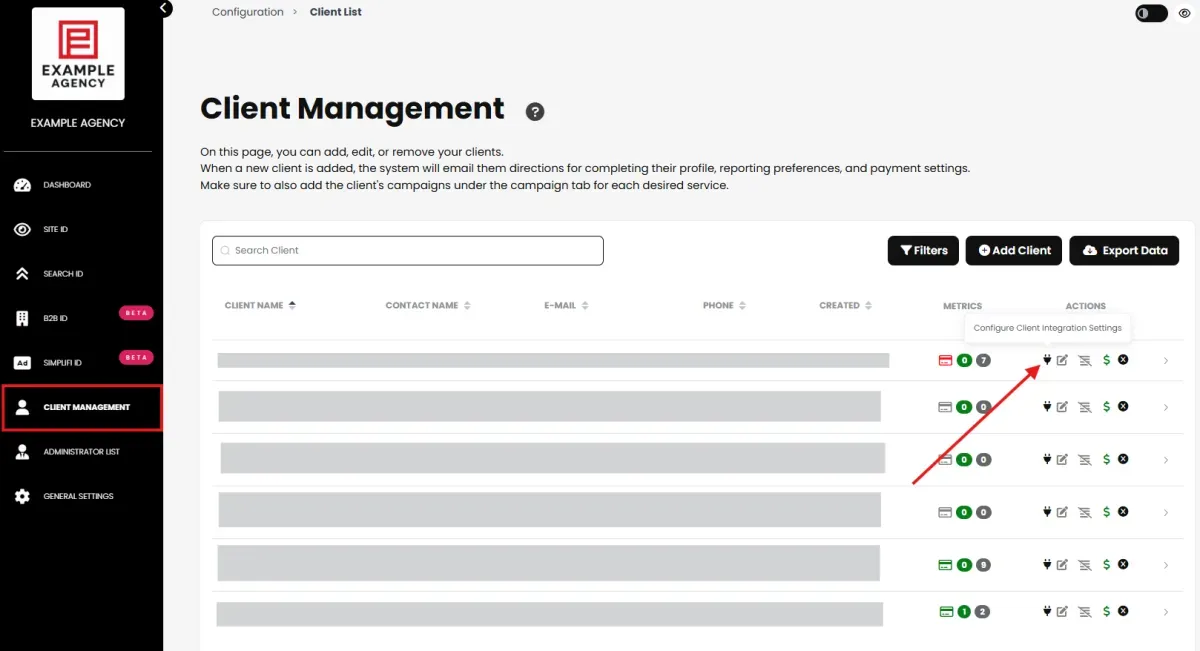
integrations settings Exactmatch dashboard

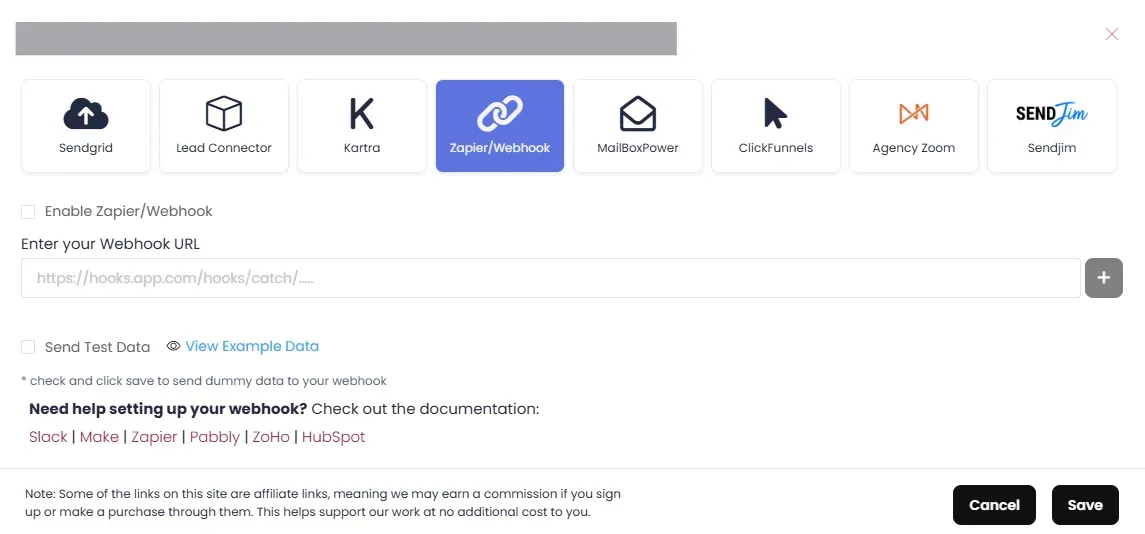
webhook setup Exactmatch daoard

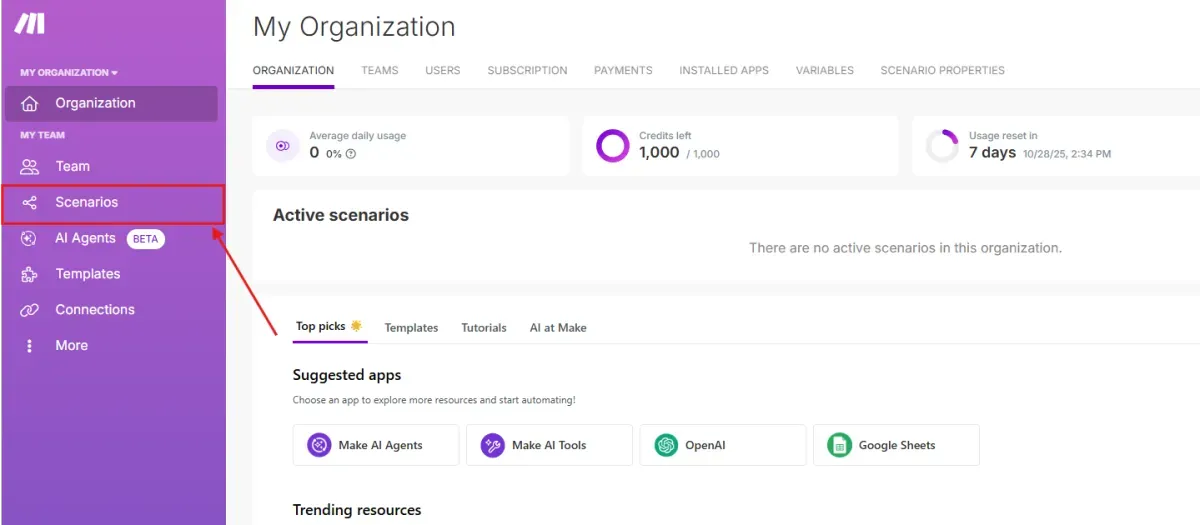
Go to your Make account click on "Scenarios"

make senarios

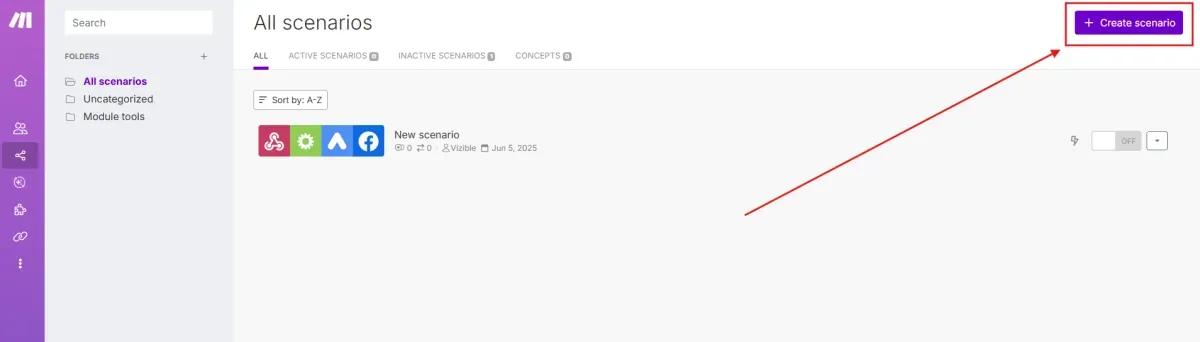
Click on "Create scenario"

create senario

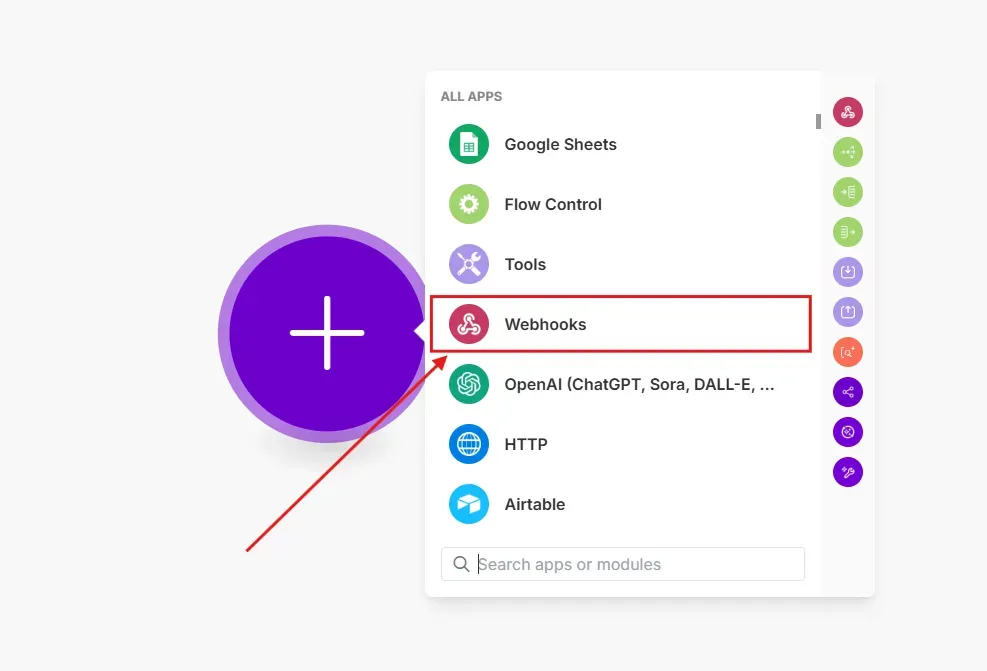
Click on Webhooks

make webhooks

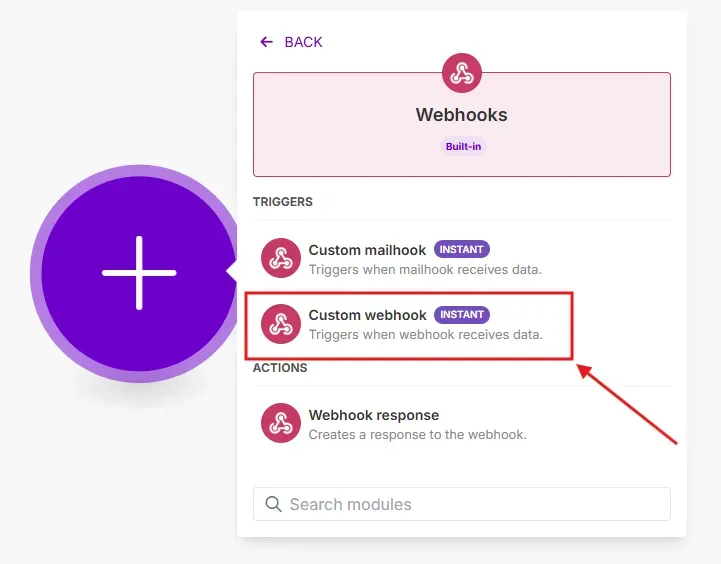
Click on "Custom webhook"

custom webhook

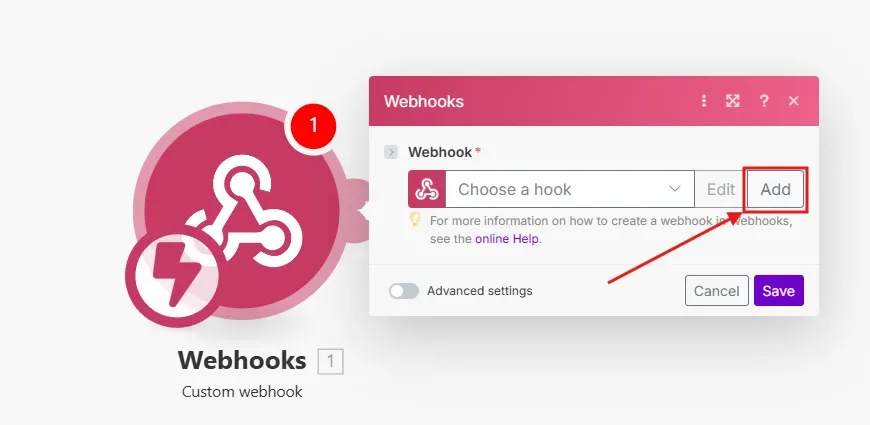
Click on "Add"

make add

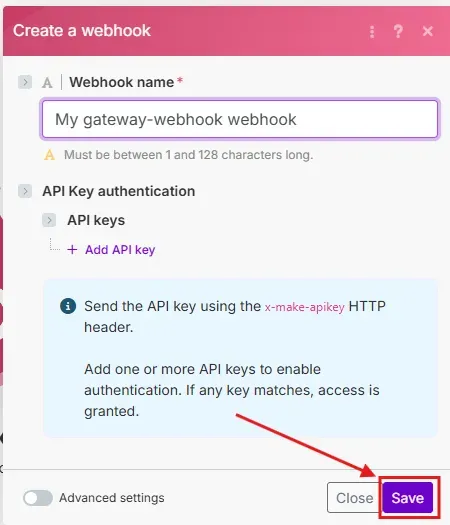
Click "Save"

make save

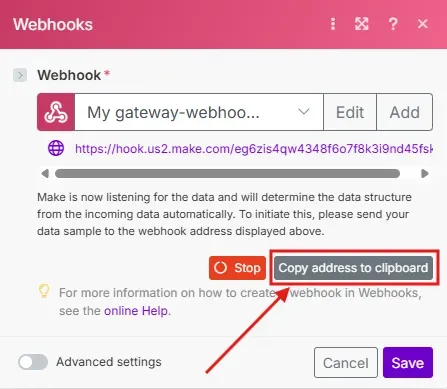
Click on "Copy address to clipboard"

make copy

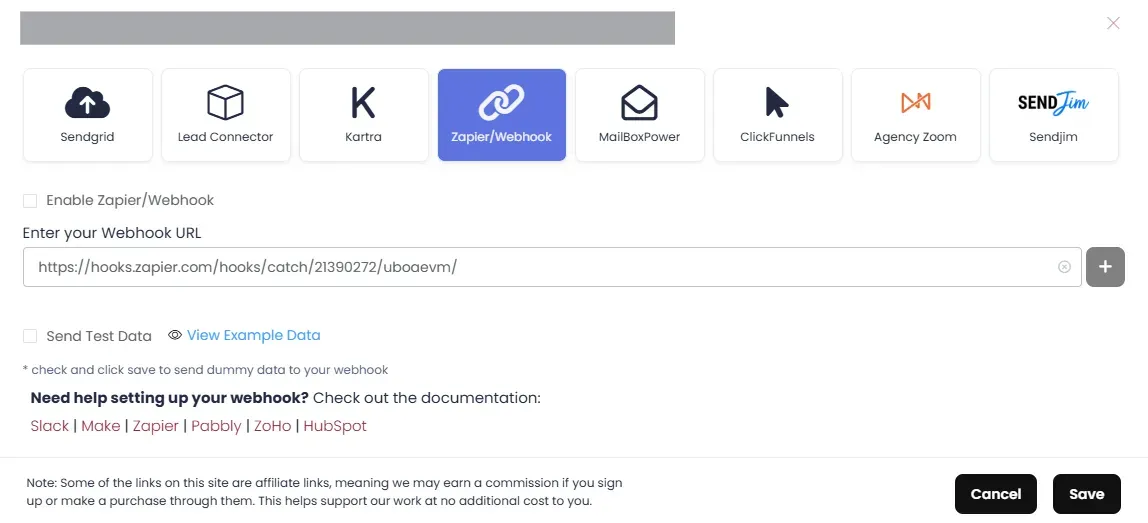
Head back to your Exact Match Dashboard. and paste the Copied URL into the "Enter Your Webhook URL section.

emm zapier filled

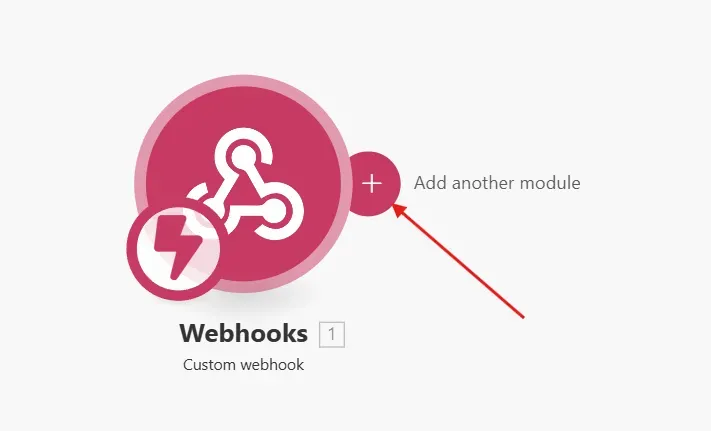
Go back to Make and add the another module

make another module

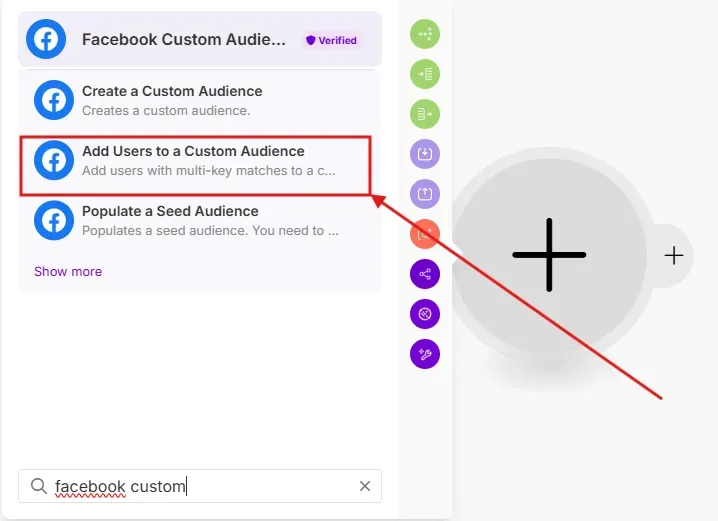
Search for " Facebook custom Audience and click on "Add Users to a Custom Audience"

make another module

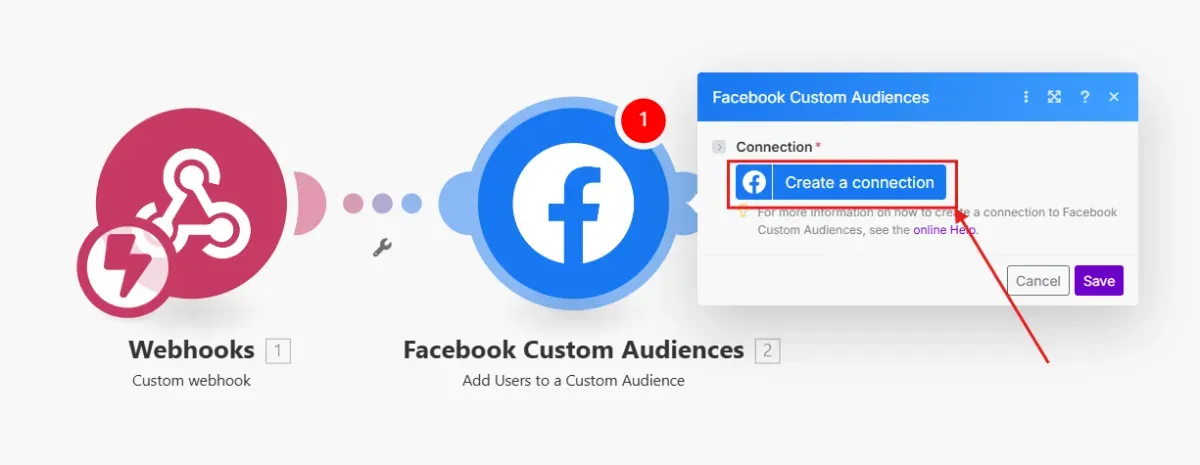
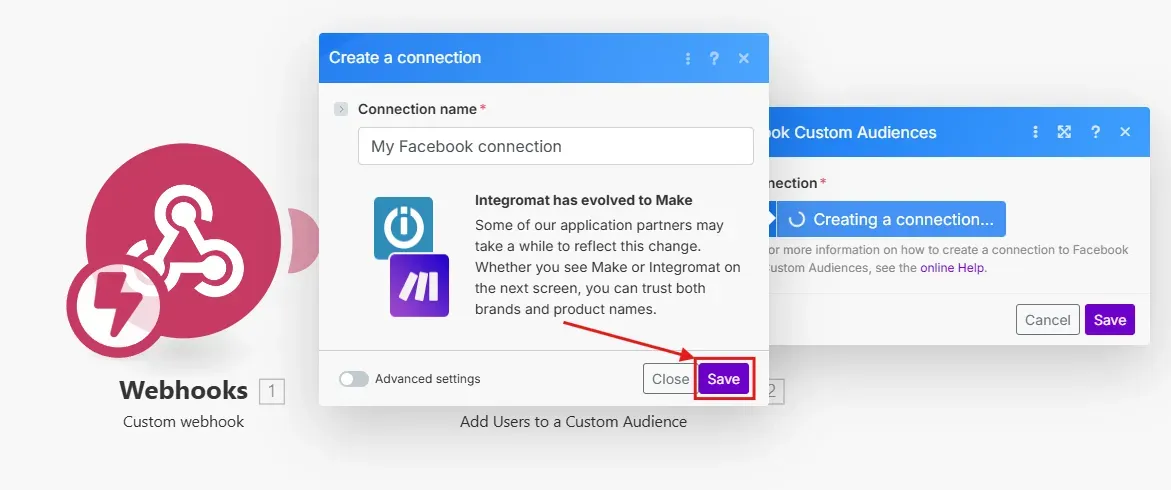
Click on "Create a connection" and follow the prompts to complete the connection.

make another module

make another module

Zapier to Meta

We understand Facebook can be a little tricky, so we're here to help!

Product Updates

Weekly updates and announcements organized by feature area.

On this page

  • How to Connect Make Webhook to Facebook Custom Audience
    • First head to Client Management on your dashboard and click on the integrations button
    • Go to your Make account click on "Scenarios"
    • Click on "Create scenario"
    • Head back to your Exact Match Dashboard. and paste the Copied URL into the "Enter Your Webhook URL section.
    • Go back to Make and add the another module
Copyright © 2026